
Comparison and Buying Guides
Vibe Coding Keyboard vs Stream Deck for Developers
Jun
A Stream Deck-style device and a vibe coding keyboard solve different problems. One gives you visual buttons and expandable menus. The other gives you a small set of tactile controls for repeated AI workflow actions. Both can help developers, but they feel very different during actual work.
The buying decision should start with behavior. Do you want to look at a device and choose from labeled commands, or do you want a few actions your hand can find without looking?
Visual buttons are excellent for broad command menus
Stream Deck-style devices are strong when you need labels, profiles, folders, and visual choice. They are useful for streaming, meetings, media control, app launching, production workflows, and complex command sets. The screen under each button reduces memorization.
For developers, that can be powerful. You might create buttons for project scripts, docs links, test commands, window layouts, or deployment routines. If the workflow benefits from a visual menu, a button deck is hard to beat.
The trade-off is that visual choice usually asks for visual attention. You look down, choose a button, and then return to the screen.
Tactile keys are better for repeated yes/no control
AI coding has many actions that do not need a visual menu. Approve this. Cancel that. Start voice input. Continue the next prompt. These are more like physical punctuation marks than menu choices.
A tactile key can be found by feel. That matters when your eyes are on a diff or a generated answer. You do not need to look down to decide which labeled tile to press. The hand learns the map.
If your AI workflow is mostly a small loop of repeated decisions, a compact keypad may feel cleaner than a larger visual deck.
Desk footprint changes the daily experience
A Stream Deck-style device usually wants a visible position because the screen labels matter. That can be great on a large desk. On a compact laptop desk or crowded developer setup, it may demand more attention and space than you want.
A four-key vibe coding keyboard can live closer to the edge of awareness. It only needs to be reachable. The status screen and light feedback can stay glanceable without becoming the center of the desk.
Before buying either device, imagine where it will sit during a real coding session. If the location is awkward, the feature list matters less.
Complexity has a real cost
Visual decks often shine when configured carefully. That configuration can become a strength or a chore. Profiles, folders, icons, and app-specific pages are useful if you need them. They are overkill if you only want four AI controls.
A vibe coding keyboard is intentionally simpler. That simplicity can be a limitation for users who want a control center. It can be a relief for users who want a stable, memorable AI workflow surface.
More capability is not automatically more value. The value depends on what you repeat every day.
Cost should be judged by use, not button count
It is tempting to compare devices by button count or screen size. That can mislead buyers. A device with more buttons may be a worse fit if most buttons remain unused. A smaller device may be a better buy if every key supports a daily workflow.
Ask what you would press twenty times a day. If the answer is a variety of labeled commands, a visual deck may earn its price. If the answer is microphone, approve, cancel, and continue, a focused keypad may be the cleaner purchase.
The question is not which product looks more capable. It is which one reduces the friction you actually feel.
Consider whether you want to look down
This is the most practical difference. A visual button deck rewards looking at the device because the labels are part of the interface. That is useful when choosing from many commands. It is less useful when you are reviewing code and only need yes, stop, speak, or next.
A tactile keypad is strongest when the desired action is already known. The device should disappear under the hand. If the action needs a label, a visual deck may be better. If the action needs muscle memory, a physical key may be better.
There is also a fatigue difference. Looking down at a visual deck is fine for occasional commands, but it can feel heavier when the action repeats during every prompt turn. A four-key tactile device asks for less visual confirmation once the map is learned.
Where HarnessKeys fits
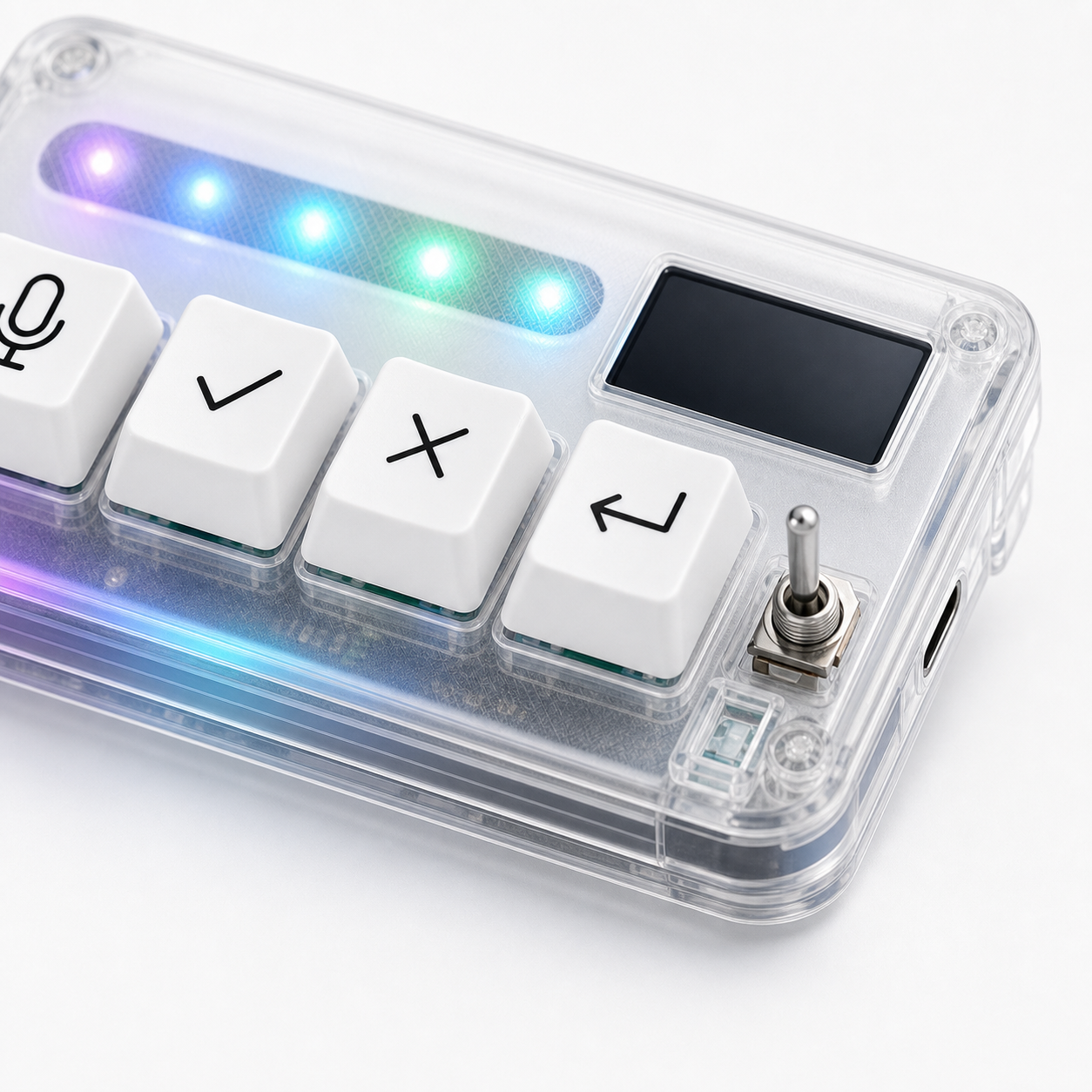
HarnessKeys is closer to a tactile AI workflow keypad than a visual command deck. It has four physical keys, USB and Bluetooth support, a custom status screen, an RGB light bar, and a compact transparent body. It is designed around the AI coding loop rather than a broad menu system.
Choose HarnessKeys if you want the repeated AI controls to become muscle memory. Choose a Stream Deck-style product if you need visual labels, many commands, and a broader desktop control surface.
Neither choice is universally better. The right device matches the action. For a small tactile option, review the HarnessKeys product page. If you are ready to buy, the payment methods and shipping delivery pages cover the practical checkout details.
