
Workflow Design
Approval Workflows for AI Coding Agents: A Practical Guide
Jun
Approval is one of the most important habits in AI coding. It is also one of the easiest to make sloppy. An AI agent can suggest a change quickly, but the developer still has to decide whether the change is correct, scoped, safe, and worth keeping. A good approval workflow makes that decision fast without making it careless.
The goal is not to slow everything down. The goal is to put the right amount of friction in the right place. Small, expected changes can be approved quickly. Broad or risky changes deserve a slower review. The workflow should help the developer tell the difference.
Approvals matter because AI output is uneven
AI-generated code can be excellent in one moment and subtly wrong in the next. It may solve the immediate error but change behavior elsewhere. It may create extra files, broaden the scope, or write tests that match its own mistake. That unevenness is why approval is not a formality.
Approval should mean the developer has accepted responsibility for moving forward with the result. That does not require reading every character with the same intensity, but it does require matching the review depth to the risk.
A one-line typo fix and a payment flow refactor should not receive the same approval habit.
Fast approval is useful for low-risk changes
Some AI outputs are low-risk. Renaming a comment, adjusting a test title, formatting a small block, adding a missing import, or applying a narrow change you explicitly requested may not need a long review. For those cases, fast approval keeps the session moving.
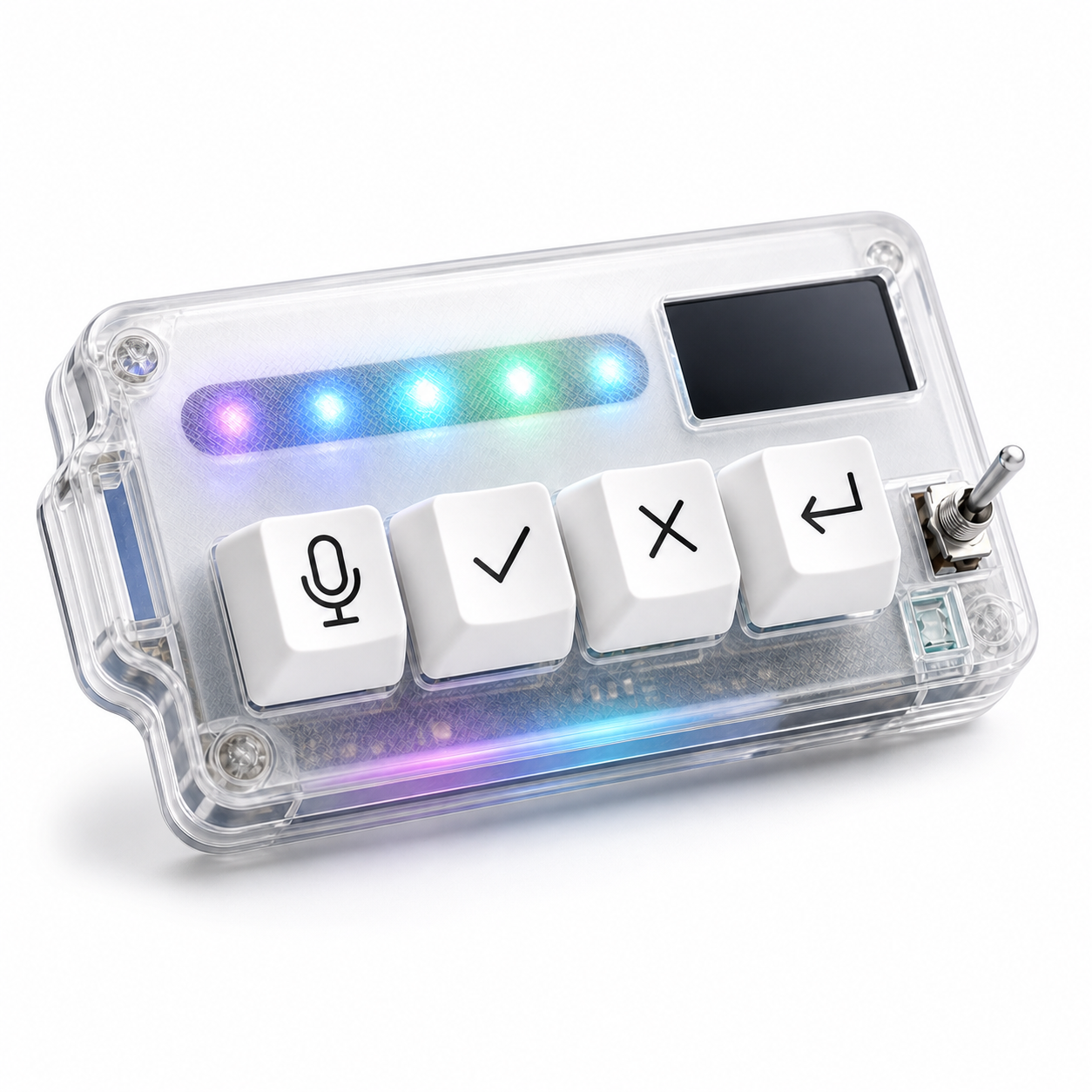
This is where a physical approve key can help. The eyes stay on the diff. The hand presses the approval control after the decision is made. The developer does not have to hunt through the interface for a small button.
The key point is sequence: review first, approve second. Speed belongs after judgment.
Slow down when scope expands
An approval workflow should have clear slow-down triggers. If the AI edits more files than expected, changes public APIs, touches authentication, payment, database migrations, deployment logic, security checks, or deletes code, pause. Do not let a smooth interface hurry the decision.
Ask the agent to explain the change. Run tests. Compare the diff against the original request. If needed, cancel and ask for a narrower patch. Good AI work often improves after a firm boundary.
This is not distrust for its own sake. It is normal engineering judgment applied to a faster tool.
Map approve to a deliberate physical action
A dedicated approve key is useful because it makes acceptance feel intentional. It separates approval from ordinary typing and from random mouse clicks. The action has a place on the desk.
For the mapping, keep the meaning narrow. Approve should confirm a reviewed suggestion, not automatically accept a whole unknown batch. If a tool supports different approval levels, start with the safest one. You can always expand later after the workflow is proven.
Also separate approve from cancel physically. The hand should not confuse yes and stop. A clean layout supports clear judgment.
Build an audit habit
Approval workflows improve when you leave a small trail for yourself. That does not mean writing a report after every prompt. It means making sure important decisions are visible: tests were run, risky files were checked, scope was narrowed, or a generated change was rejected.
For serious tasks, use commit diffs, test output, issue notes, or code review comments as the audit layer. The AI tool can help generate explanations, but the developer still decides what evidence is enough.
If a physical approve key makes acceptance fast, the audit habit keeps it responsible.
A practical example: if the agent changes a validation rule, approval should wait until you have checked the affected form, the server-side guard, and at least one failing or passing test. If the agent only updates wording in a help page, the review can be lighter. The workflow should adapt to impact, not to how confident the AI sounds.
When to cancel instead of approve
Sometimes the best approval workflow is a quick no. Cancel when the agent misunderstands the objective, writes too broadly, invents requirements, ignores a constraint, or keeps explaining instead of producing the needed change. Stopping early saves time.
A good desk setup makes cancel just as reachable as approve. That balance matters. If yes is easy and stop is hidden, the workflow nudges the developer toward accepting too much.
HarnessKeys puts approve and cancel into the same physical control layer, alongside microphone and return-style keys. With USB and Bluetooth support, a custom status screen, an RGB light bar, and a compact body, it is meant to keep these repeated decisions close to the hand.
An approval workflow is not a bureaucratic extra. It is how the developer stays in charge of the agent. Move quickly where the risk is low, slow down where the scope grows, and keep yes and stop equally easy to reach. For a hardware layer built around that habit, see the HarnessKeys AI Workflow Keypad.
