
Workflow Design
How to Cancel AI Agent Actions Faster and More Safely
Jun
Cancel is one of the healthiest actions in an AI coding workflow. It means the developer noticed that the current direction is not worth continuing. The agent may be editing the wrong files, solving the wrong problem, repeating itself, or expanding a task that should have stayed narrow. A fast cancel action prevents small drift from becoming cleanup work.
Many developers think first about approve and continue controls. Cancel deserves the same attention. If stopping is slow, hidden, or uncertain, users let the agent run longer than they should. The result is more output to read and more decisions to unwind.
Cancel is a safety layer
AI agents are useful because they can move quickly. That same speed creates a need for fast interruption. A model can misunderstand a requirement in the first sentence and keep producing confident work for several minutes. The earlier you stop it, the easier the recovery.
Think of cancel as a safety layer rather than a failure. It protects scope, attention, and code quality. It also teaches the user that they are allowed to steer aggressively. You do not owe the agent a complete run when the direction is wrong.
A workflow with easy cancel feels calmer because the user knows there is an escape path.
Common runaway patterns
One runaway pattern is scope creep. You ask for a small fix, and the agent starts reorganizing nearby modules. Another is over-explanation. You need a patch, and the tool keeps producing analysis. Another is wrong-context work, where the agent edits a file that sounds related but is not the source of the bug.
There are also safety-sensitive runaways: touching authentication, payment, database migrations, production config, or destructive file operations without a clear request. Those should trigger an immediate stop and a narrower prompt.
The more you recognize these patterns, the easier it becomes to cancel early instead of hoping the output will improve by itself.
A physical cancel key reduces hesitation
When cancel lives only in the software interface, the user has to find it at the exact moment they are already annoyed. That creates hesitation. Is this the right stop button? Will it reject the change or just pause generation? Did the click register?
A physical cancel key gives the action a stable location. The hand knows where stop lives. That makes interruption feel normal rather than dramatic.
The benefit is not just speed. It is confidence. A clear cancel action encourages better boundaries with AI tools.
Do not map cancel to destructive cleanup
Cancel should stop the current direction. It should not automatically delete files, reset branches, discard all changes, or run broad cleanup commands unless you have a strong confirmation layer. Stopping and cleanup are different actions.
This distinction matters because panic mappings create new risk. If the agent goes wrong, you want a safe brake, not a second unpredictable operation. First stop. Then inspect. Then decide how to recover.
A good cancel mapping is boring: stop generation, reject a suggestion, close capture, or return control to the user. Boring is exactly what a safety action should be.
Use a recovery checklist after cancellation
After cancelling, do not immediately send another vague prompt. Take a short recovery step. What did the agent misunderstand? Was the context missing? Was the instruction too broad? Did you need to select a file, paste an error, or state a boundary?
A good follow-up prompt might be: “Stop that direction. Only inspect the settings loader and do not edit payment code. Explain the smallest change first.” That kind of correction turns cancellation into better steering.
If files were changed, inspect the diff before continuing. If the agent only produced text, summarize the mistake and narrow the next request. The goal is to restart with more control, not just hit continue again.
Balance cancel with approve and return
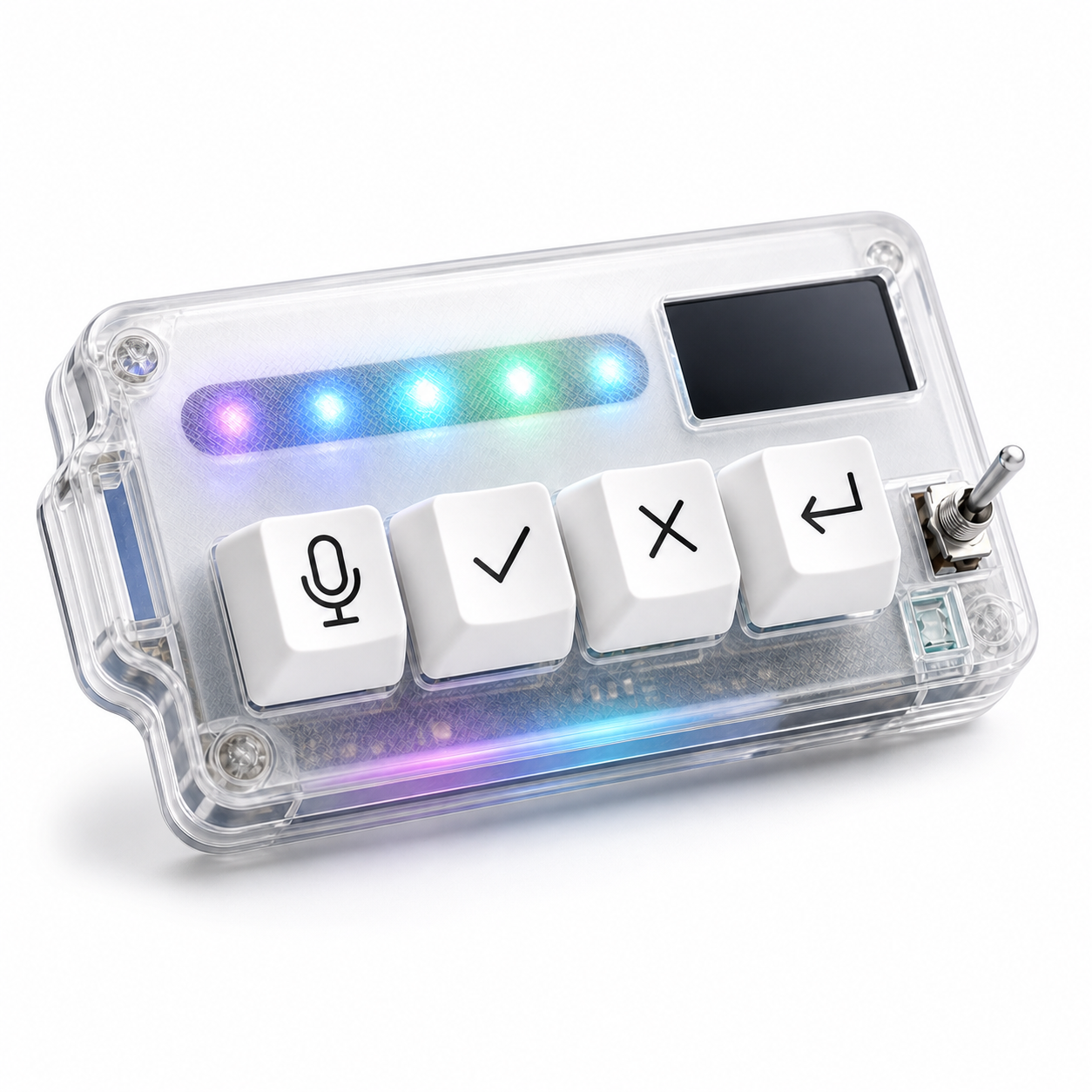
Cancel works best when it sits beside the other core actions. Approve moves a reviewed result forward. Return sends the next instruction. Microphone captures richer intent. Cancel stops the wrong path. Together, they create a loop where the developer can steer without searching the interface every few seconds.
If cancel is hard to reach while approve is easy, the workflow is biased toward acceptance. If cancel is clear and comfortable, the developer can be more selective. That selectiveness is part of using AI tools well.
HarnessKeys gives cancel its own physical key alongside microphone, approve, and return-style controls. The device also supports USB and Bluetooth, includes a custom status screen, and has an RGB light bar for quick feedback. It is designed as a compact AI workflow keypad rather than a general macro board.
Fast cancellation is not about being negative. It is about keeping the AI session under human control. Stop early, inspect the reason, narrow the next prompt, and continue only when the direction makes sense. For a hardware setup that treats cancel as a first-class workflow action, see the HarnessKeys AI Workflow Keypad.
