
Workflow Design
Return Key Workflows for Prompts Submissions and Continue Actions
Jun
The return key looks simple until AI tools get involved. In a normal editor, Return might create a new line. In a chat box, it might submit a message. In an agent workflow, it might continue generation, confirm a modal, or move the session to the next step. That makes return-style actions powerful and slightly dangerous.
A good AI prompt workflow treats Return as a deliberate control, not just a reflex. The question is not “Where is the Enter key?” The question is “What should happen when this thought becomes an instruction?”
Separate typing from submitting
The first rule is to separate text composition from submission whenever possible. Developers often write prompts that need line breaks, pasted error output, or a short checklist. If Return always sends the prompt, users learn to write shorter, worse instructions because they fear accidental submission.
Many tools solve this with Shift-Enter for new lines and Enter for send. That can work, but it still asks the user to remember the current app’s behavior. A dedicated return-style key can create a clearer habit: the main keyboard is for writing, the workflow key is for sending or continuing.
This distinction becomes more useful when voice input is involved. You may dictate a prompt, review the transcript, then press a separate key to send it. The action feels intentional rather than automatic.
Use continue only after checking direction
Continue is tempting because it keeps the AI moving. The agent produces a partial answer, pauses, and asks whether to proceed. Pressing continue feels efficient. Sometimes it is. Sometimes it only lets the wrong idea travel farther.
Before using a return-style continue action, check whether the agent is still pointed at the right task. Did it keep the scope narrow? Did it touch the right files? Did it answer the actual question? If yes, continue can keep momentum. If no, cancel or correct first.
A dedicated key should not make continue thoughtless. It should make the correct next action easier once the decision is made.
Confirm modals need extra care
Some AI coding tools ask for confirmation before editing files, running commands, or applying changes. A return-style key may interact with those modals depending on focus. That can be useful, but it can also surprise you.
Test modal behavior in a safe project before trusting it. Does the key confirm the highlighted action? Does it submit the prompt behind the modal? Does it do nothing unless focus is in the right place? You want to know this before a real refactor or command run.
If the behavior is not obvious, keep confirm actions in the software interface until you have a safe mapping. Physical speed is not worth uncertain approval.
A useful practice is to create a harmless test prompt for every tool: ask it to summarize a visible comment or explain a small snippet, then test how Return behaves around the prompt field and any confirmation step. You learn the control behavior without risking real files.
New-line pitfalls are small but annoying
Accidental prompt submission is one of the fastest ways to make an AI workflow feel messy. You meant to add a second constraint, but the message sent early. Now the model is answering an incomplete instruction, and you have to correct it.
To avoid this, decide how long prompts are composed. Some users prefer to draft in the prompt box and use Shift-Enter for line breaks. Others draft in a note or editor, then paste the final version. Voice users may dictate first, review the transcript, and then send. The right method is the one that avoids accidental sends while keeping the loop fast.
A physical return key works best when it marks the final “send it” decision, not every line break.
Test per app, not in theory
Return behavior changes across tools. Browser chat, editor agents, terminal UIs, and desktop apps may all handle focus differently. Do not assume one mapping works everywhere.
Run a simple test in each app you use: type a prompt, add a line break, submit, continue generation, cancel, and confirm a harmless modal. Write down what happened. If a tool behaves unexpectedly, adjust the mapping or keep that action manual.
This sounds tedious, but it takes a few minutes and prevents weeks of hesitation.
Where a HarnessKeys return-style key fits
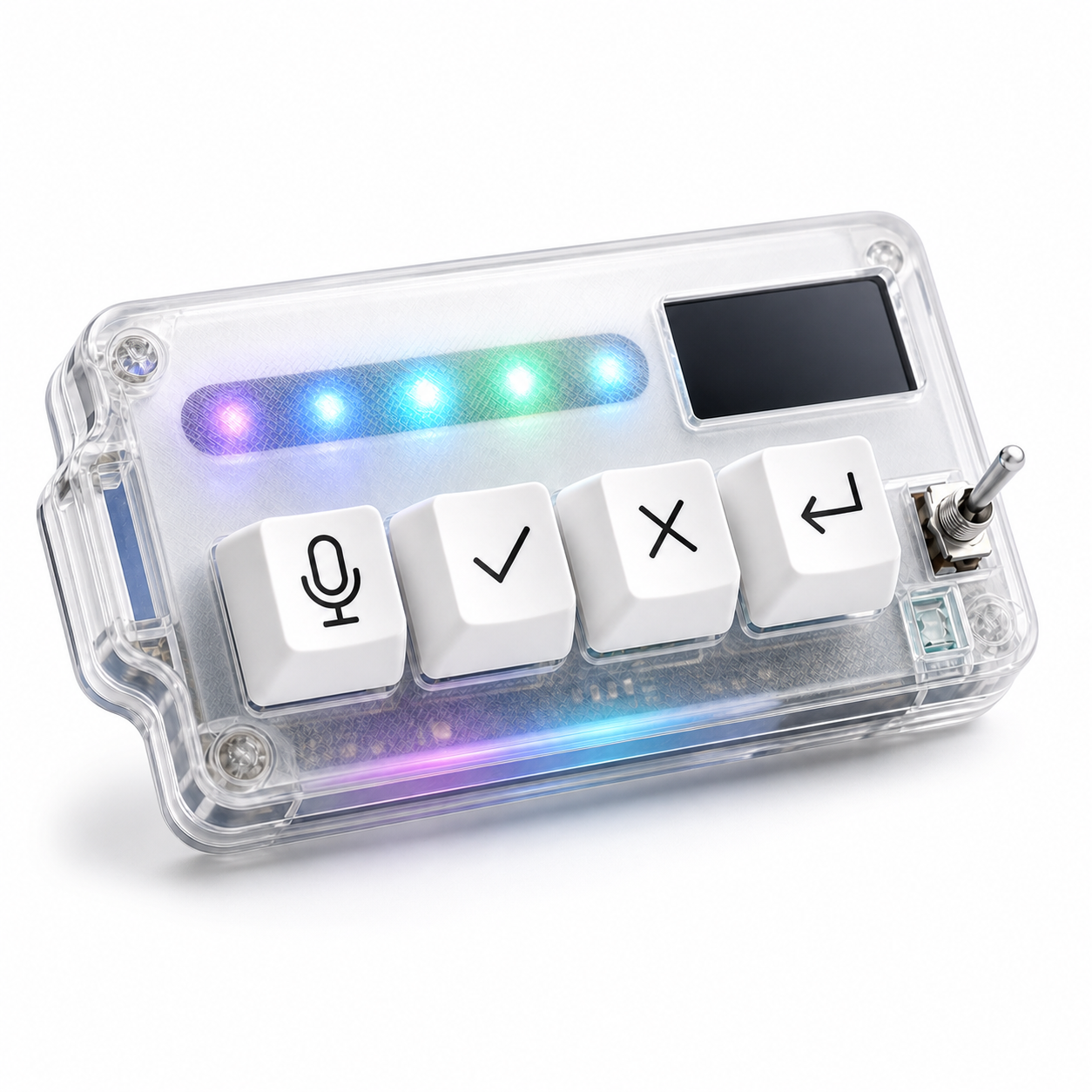
HarnessKeys includes a return-style key alongside microphone, approve, and cancel controls. The useful mental model is simple: the main keyboard writes the prompt, the microphone key captures spoken context, and the return-style key moves the AI workflow to the next turn when you are ready.
That key should stay tied to intentional movement. Submit the reviewed prompt. Continue the agent after checking direction. Confirm only when the behavior is tested and safe. If the key starts doing too many unrelated things, the workflow becomes less trustworthy.
Return is not just Enter in an AI workflow. It is the moment a thought becomes an instruction. Treat it that way, and the HarnessKeys AI Workflow Keypad can make prompt submission and continuation feel clearer instead of more chaotic.
