
Workflow Design
How to Use Status Feedback in a Vibe Coding Setup
Jun
Status feedback in a vibe coding setup should answer one question quickly: what is happening right now? If a light, screen, or indicator cannot answer that question, it may be decoration rather than feedback. Good feedback reduces uncertainty without pulling attention away from the code.
AI coding creates several states that are easy to confuse: connected, listening, waiting, generating, cancelled, approved, or errored. A small status screen or RGB bar can help, but only if the signals stay simple enough to remember.
Connection status comes first
The most basic feedback is connection status. Is the keypad connected by USB? Is Bluetooth paired? Is the device awake? If a key press does nothing, connection is the first thing people suspect.
A clear connection signal saves time during setup and troubleshooting. It also helps laptop users who move between desks or switch between wired and wireless modes.
Connection feedback does not need to be dramatic. It just needs to be readable at a glance.
For example, a developer switching from a home desk to a laptop stand should be able to confirm the current mode quickly before starting a session. If the first three key presses are spent wondering whether the device is paired, the workflow has already started with friction.
Listening status should be unmistakable
If voice input is part of the workflow, listening status matters. Users should know when the microphone action is active and when it is not. Ambiguous listening states make people nervous, especially in shared rooms or around sensitive work.
A light or screen indicator can reinforce the microphone key. Press to start, see the state, speak, stop, and confirm the state ended. That reassurance makes voice input feel more controlled.
Do not make listening feedback subtle. This is one of the few states that should be very clear.
The best listening feedback also ends clearly. People want to know not only when capture begins, but when it has stopped. That closing signal makes voice input feel safer around private work and shared rooms.
Running status should stay calm
When an AI agent is generating, users may want quick confirmation that the workflow is active. A running state can be helpful, but it should not become distracting. The main display already has the detailed output.
Use simple signals for running or waiting. If the light behavior becomes too animated or complex, it competes with the editor. Feedback should support focus, not perform for attention.
Calm signals are easier to trust over long sessions.
One calm pattern is enough for most users: active while the workflow is engaged, quiet when it is not. The signal should help the user return attention to the code, not invite them to watch the hardware.
Running feedback is most helpful during short uncertainty windows. Did the key press register? Is the AI turn active? Is the workflow waiting for me? Once the user has that answer, the signal can stay quiet.
Error status should lead to action
An error signal is useful only if the user knows what to do next. Did the device disconnect? Did voice capture fail? Did the tool ignore a key press because focus was wrong? If the feedback only says “something is wrong,” it may add frustration.
When possible, pair error feedback with a simple recovery habit: check connection, return to USB, refocus the prompt field, or cancel and retry. The point is to help the user regain control quickly.
Do not overload error colors. If every problem uses the same dramatic signal, people stop trusting it.
A good error habit pairs the signal with a next move. If the device seems disconnected, try USB. If voice capture failed, restart the capture rather than sending a broken prompt. If focus is wrong, click the prompt field and test the key once. Feedback is useful when it shortens recovery.
Avoid noisy signal systems
The biggest mistake with status feedback is making every state unique. Five colors, blinking speeds, mode names, and hidden meanings may look complete in a manual, but users forget them during work.
Pick a small set of signals that matter. Connected. Listening. Active. Needs attention. That may be enough. The fewer signals the user has to memorize, the more likely feedback will help.
A status system should fade into the workflow after the first few days.
If you find yourself explaining the color system more often than using it, simplify it. A vibe coding setup should not require a legend taped to the monitor. The signals should be obvious enough that they become background confidence.
How HarnessKeys uses feedback
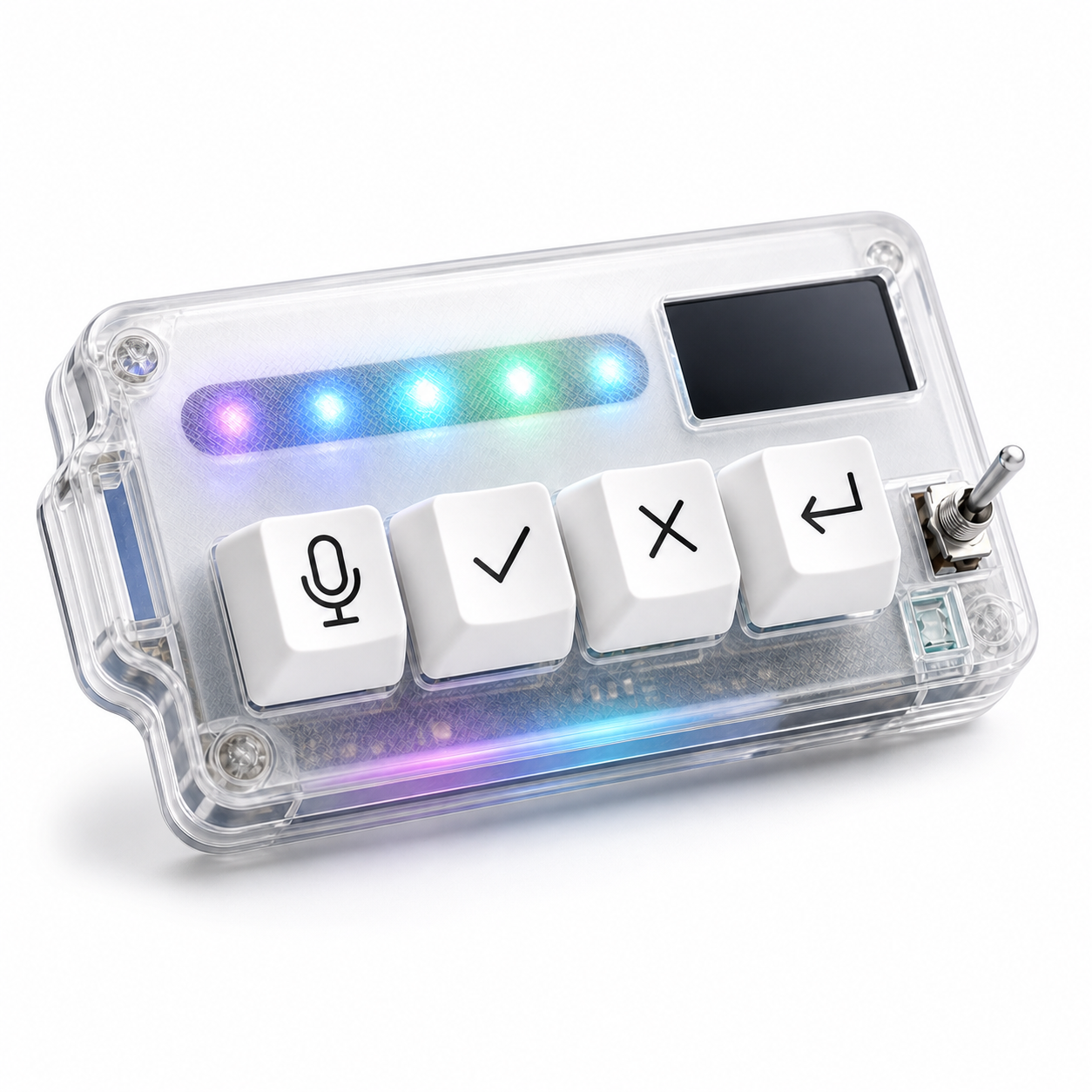
HarnessKeys includes a custom status screen and RGB light bar alongside the four physical keys for microphone, approve, cancel, and return-style actions. The screen and light bar should be treated as workflow support: quick orientation, not a second dashboard.
The most useful feedback is tied to real uncertainty. Is the device connected? Is a mode active? Is the workflow waiting for action? Those answers make the physical controls easier to trust.
Status feedback is not the main product by itself. It is the layer that helps the keys feel reliable. If you want a vibe coding setup where signals stay simple and controls stay tactile, the HarnessKeys AI Workflow Keypad is designed around that balance.
