
Comparison and Buying Guides
The Practical Difference Between a Hotkey and a Hardware Key
Jun
A hotkey and a hardware key can trigger the same action, but they do not feel the same in an AI workflow. A hotkey is a software shortcut performed on the main keyboard. A hardware key is a physical control with its own location and meaning. That difference matters when the action is repeated, decision-heavy, or affected by app focus.
For AI coding, the practical question is not whether a hotkey can work. It often can. The question is whether a separate hardware key makes the action easier to discover, remember, trust, and use safely.
Hotkeys can be hard to discover
Hotkeys are efficient once learned, but they are often invisible. A new user may not know the shortcut exists. An experienced user may know it but forget it during a busy session. AI tools add new commands faster than users can turn them into habits.
A hardware key is visible. It sits on the desk and invites a specific action. That visibility can help the user build a workflow faster.
Discovery matters most for actions that happen constantly, like approve, cancel, voice input, or prompt submission.
Muscle memory works differently
A hotkey uses finger patterns on the main keyboard. That is powerful, but the main keyboard already has many jobs. It handles code, prose, editor commands, terminal work, and system shortcuts.
A hardware key creates a separate physical memory. The hand learns where the AI action lives. Approve is there. Cancel is there. Microphone is there. Return-style continuation is there.
That separate memory can reduce confusion when the AI workflow is layered on top of normal coding.
App focus can make hotkeys unreliable
Hotkeys often depend on focus. The same key combination may behave differently if the cursor is in the editor, terminal, browser, chat panel, or modal. This is normal software behavior, but it can be frustrating during AI sessions.
A hardware key can still depend on software mapping, so it is not magic. But a dedicated device encourages the user to test and assign a narrower meaning. It also separates the action from ordinary typing.
If focus issues are the main problem, test carefully before trusting either approach.
Mistake prevention is about meaning
A hotkey can be too easy to press accidentally if it is close to normal typing. A hardware key can also be pressed accidentally if placed badly. The difference is that a physical key can be positioned, labeled, and separated to make mistakes less likely.
This is especially important for approve and cancel. They should not feel interchangeable. The user should know by touch which decision they are making.
Good workflow design makes the common action easy and the risky action deliberate.
Workflow ownership changes behavior
A hardware key can make the AI workflow feel owned by the user rather than buried inside an app. That may sound abstract, but it matters. Physical controls remind the user that they are steering the AI, not just reacting to an interface.
When approve, cancel, microphone, and return-style actions live on the desk, the workflow becomes a set of deliberate motions. That can make AI coding feel less scattered.
Hotkeys can still be better for many commands. The strongest setup may use both.
How HarnessKeys turns workflow actions into keys
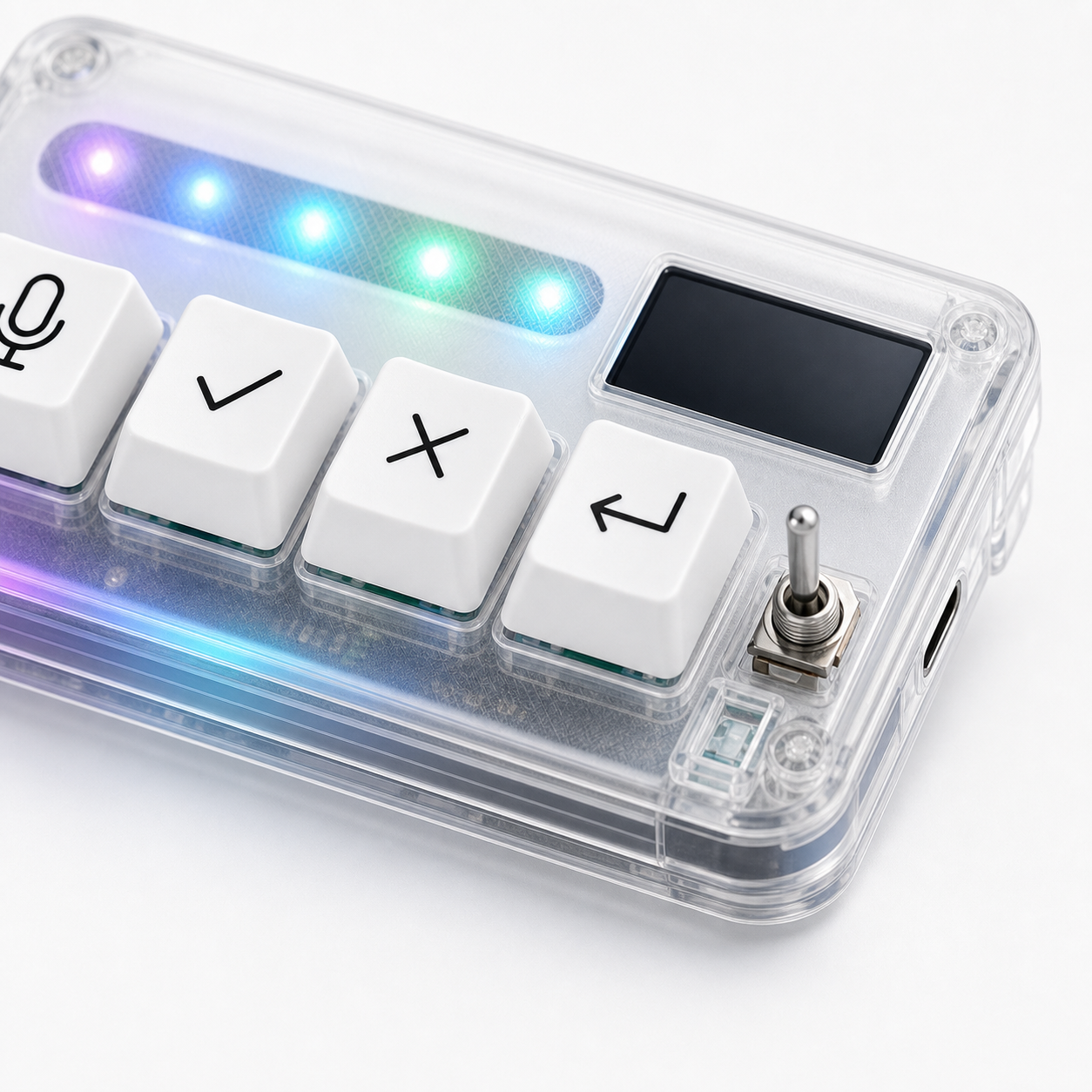
HarnessKeys turns four AI workflow actions into hardware keys: microphone, approve, cancel, and return-style control. It also includes USB and Bluetooth support, a custom status screen, and an RGB light bar. The device is built for users who want physical separation for repeated AI decisions.
If your hotkeys already feel effortless, you may not need it. If hotkeys are hidden, focus-dependent, or easy to forget during AI sessions, hardware may help.
Compare the workflow fit on the HarnessKeys product page. The payment methods and shipping delivery pages cover the buying details.
When a hotkey is still the better choice
Hotkeys are still better when the action is already deeply learned, happens inside one app, and does not create safety concerns. If you have used the same editor shortcut for years, moving it to external hardware may slow you down.
Hotkeys are also better when desk space is limited and the action does not need physical separation. A hardware key should earn its space by making a repeated decision clearer, not by duplicating a shortcut that already works.
When hardware earns the extra space
Hardware earns the space when the action benefits from location, separation, and tactile certainty. Approve and cancel are good examples because they represent opposite decisions. Voice input is another because it benefits from a deliberate trigger.
If a hotkey feels easy in theory but you still avoid it during real AI sessions, a hardware key may solve a practical problem that the shortcut map did not solve.
The best decision is evidence-based. Watch whether your hand uses the hotkey without hesitation. If it does, keep it. If it does not, the hardware key may be more than a duplicate; it may be the control surface your workflow actually needed.
