
Comparison and Buying Guides
What Makes a Good AI Coding Desk Controller?
Jun
A good AI coding desk controller should make repeated decisions easier without turning the desk into a control room. It should give fast access to the actions that happen during AI-assisted work, show enough feedback to reduce uncertainty, make cancellation easy, fit comfortably beside the main keyboard, and provide a clear support path after purchase.
Brand names matter less than workflow fit. A controller is good when it matches the way the developer actually steers AI tools.
Fast access should mean less searching
The controller should reduce the time spent finding interface controls. If the developer already knows they want to approve a result, cancel a bad direction, or send the next prompt, the hardware should make that action easy to perform.
Fast access does not mean reckless automation. It means the physical action follows the user’s decision. Read first, then approve. Notice drift, then cancel. Review the prompt, then submit.
The best controls feel boringly reachable.
Clear feedback prevents hesitation
AI workflows have ambiguous states: listening, waiting, generating, stopped, connected, disconnected. A good desk controller should help the user understand at least the key states that affect physical controls.
Feedback can come from a small screen, a light bar, or simple software confirmation. The form matters less than clarity. If the user keeps asking whether the device is ready, the feedback is not doing its job.
Good feedback lowers doubt without stealing attention from the main screen.
Safe cancellation is non-negotiable
Many buyers focus on approval, but cancellation is just as important. AI agents can drift, over-explain, broaden scope, or start down the wrong path. A controller should make stopping easy and confident.
Cancel should not be hidden behind a complicated shortcut. It should feel like a first-class control. The user should be able to stop the current direction quickly, then decide how to recover.
This is a safety feature, not a negative feature.
Small footprint matters during real work
A desk controller that takes too much space may not survive daily use. Developers already have a main keyboard, mouse or trackpad, monitor, laptop, microphone, and sometimes other hardware. The AI controller needs to fit into that zone without creating reach problems.
Small does not mean weak. A compact controller can be stronger if every control has a clear job.
Before buying, decide where the device would sit. If there is no comfortable place, the purchase may not make sense yet.
Support path affects trust
Hardware support matters because shipping, payment, setup, and defects are real possibilities. A good product site should make it clear how to pay safely, how shipping works, and how to contact support if something goes wrong.
For HarnessKeys, support questions route through the contact page and support email. Payment and shipping details are explained on dedicated pages. That matters for buyers who are not only evaluating the gadget but the purchase experience.
A controller is easier to trust when the store is clear about the boring details.
Avoid controllers that encourage blind automation
A good AI desk controller should not make risky actions feel casual. If a device encourages one-tap acceptance of broad changes, destructive commands, or unreviewed agent output, the workflow may become faster but less safe.
Look for controls that support judgment: speak a clearer prompt, approve after reading, cancel when the path is wrong, and continue when the next turn is ready. That is different from hiding responsibility behind a button.
The controller should keep the human in charge of the AI tool.
Match the controller to the work environment
A solo developer at a fixed desk may care most about reliable USB and a stable layout. A laptop user may care more about Bluetooth placement. A support operator may value voice input and quick cancellation. A developer with a large mechanical keyboard may want a controller that stays out of the typing area.
There is no universal best desk controller. The best option is the one that solves the repeated friction in the environment where the work actually happens.
Run a one-session trial before deciding
Before buying any controller, simulate one AI coding session and list the physical actions you wish were easier. If the list is mostly voice, approve, cancel, and continue, a focused keypad makes sense. If the list includes many scripts, app launches, and media controls, a broader macro device may fit better.
How HarnessKeys answers the checklist
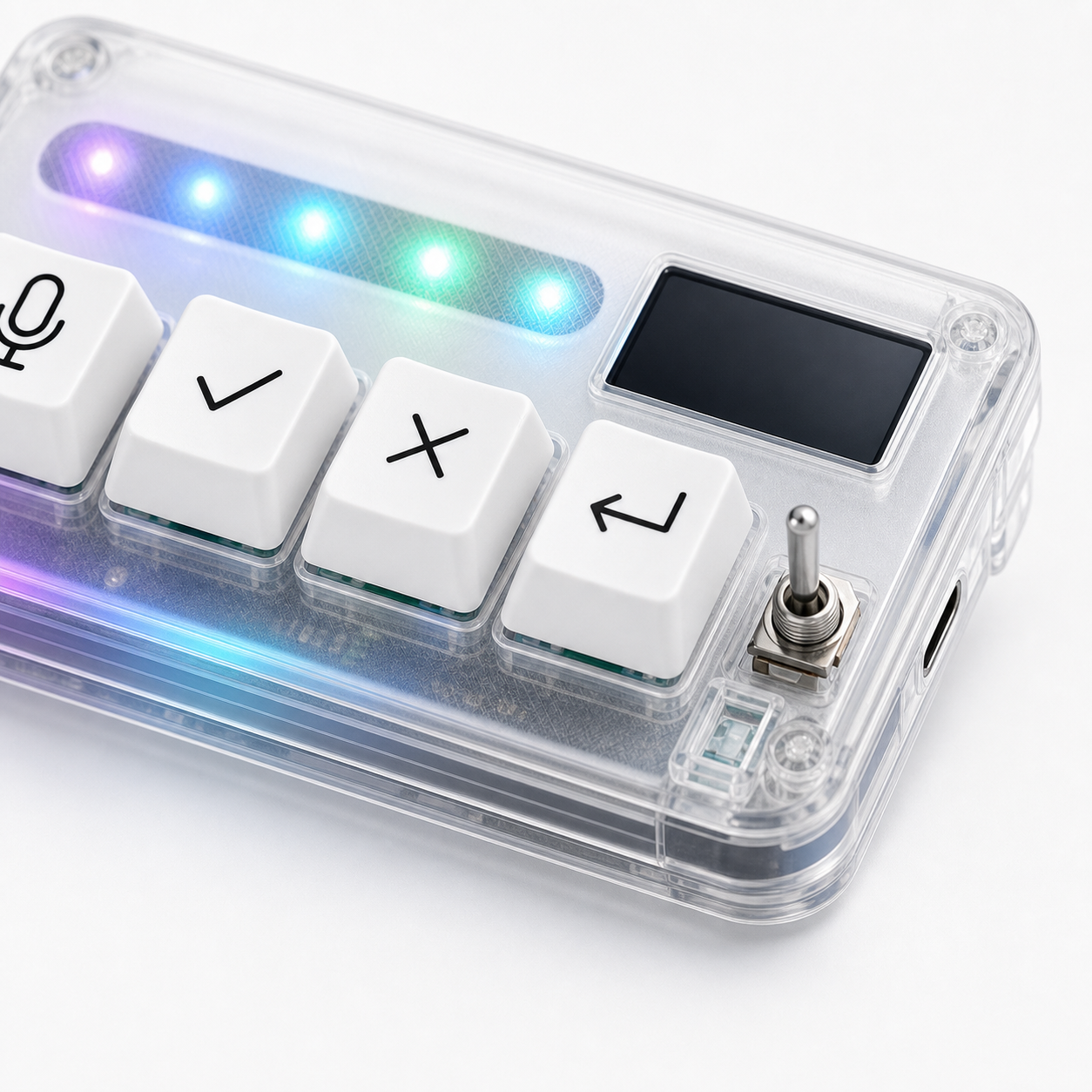
HarnessKeys is designed as a compact AI coding desk controller with four physical keys for microphone, approve, cancel, and return-style actions. It supports USB and Bluetooth, includes a custom status screen, has an RGB light bar, and uses a transparent body that fits the visible desk-tool role.
It is not the best choice for someone who wants dozens of programmable commands. It is a better fit for someone who wants the core AI workflow loop under the hand.
If those criteria match your desk, compare the details on the HarnessKeys product page. Then check payment methods and shipping delivery before ordering.
