
Comparison and Buying Guides
USB AI Keypad vs Bluetooth AI Keypad: Buyer Guide
Jun
USB and Bluetooth are not just connection options for an AI keypad. They affect reliability, placement, setup effort, and how much trust the user has in every key press. For a device that handles approval, cancellation, voice input, or prompt submission, trust matters more than a clean spec sheet.
The best buyer answer is usually simple: USB for the first setup and maximum certainty, Bluetooth for placement flexibility, and both modes if your desk changes often.
USB wins on predictable reliability
USB is the safest starting point because it removes several variables. No pairing menu. No wireless sleep state. No battery assumptions. If the keypad is plugged in and recognized, you can focus on mapping and workflow behavior.
That matters during the first week. New users are already learning which key starts voice input, which key approves, which key cancels, and how return-style submission behaves in each AI tool. Wired mode keeps the connection layer boring.
For fixed desks, USB may remain the best long-term choice. A cable is not a problem if it is routed cleanly and the device stays in one place.
Bluetooth wins on desk mobility
Bluetooth matters when placement matters more than cable simplicity. Laptop users, standing desk users, and people who move between rooms may want the keypad in a spot where a cable would be awkward.
Wireless placement can make a small device much more useful. You can put it near the mouse, beside the laptop trackpad, or on the side where the off-hand naturally rests. If the device is easier to reach, it gets used more often.
The trade-off is that Bluetooth adds possible troubleshooting: pairing, sleep, battery, interference, or operating system quirks.
Setup complexity should be part of the purchase
Some buyers focus only on whether a device supports Bluetooth. A better question is how much setup complexity you are willing to tolerate. If you want the fewest possible variables, wired mode is calming. If you want cable-free placement, wireless is worth the extra step.
Dual-mode devices are useful because they let you separate setup from daily use. Start with USB, confirm the keys and workflow, then switch to Bluetooth if placement improves the experience.
If Bluetooth ever acts strange during a serious task, returning to USB is a practical fallback rather than a failure.
Battery assumptions can mislead buyers
Not every wireless workflow feels the same. Some users are comfortable charging devices and checking connection states. Others hate maintaining one more battery. Be honest about that before buying.
For AI workflow controls, a dead or sleeping device is more annoying than it would be for occasional media keys. If cancel or approve is part of your real work loop, you want the key available when needed.
Wired mode avoids that worry. Wireless mode earns its place when the improved placement is worth the maintenance.
A simple recommendation matrix
Choose USB-first if you work at a fixed desk, value reliability above all, or are still testing key mappings. Choose Bluetooth-first if your desk changes often, the best placement is not near a port, or cable clutter prevents comfortable reach.
Choose a device with both if you are not sure. Most people discover their preference after a week of real use, not while reading specifications.
For buyers, the presence of both modes is useful because the workflow can evolve. The first setup can be stable. The later desk layout can be flexible.
Test connection mode with the hardest key
Do not only test whether the device connects. Test the key that would bother you most if it failed. For many AI workflows, that is cancel. If a cancel key feels delayed, unreliable, or uncertain, the connection mode is not good enough for that session.
Approve, microphone, and return-style actions should also feel consistent. A connection mode that is fine for occasional media controls may still be annoying for repeated AI workflow decisions.
Match connection mode to work intensity
For a light prompt-writing session, Bluetooth convenience may be more important than absolute certainty. For a serious coding block where the cancel key and approval rhythm matter, USB may feel better simply because it removes doubt.
It is reasonable to switch modes by session. Wired for setup or high-focus work, wireless for flexible laptop placement. A good buyer does not have to choose one identity forever.
How HarnessKeys handles the choice
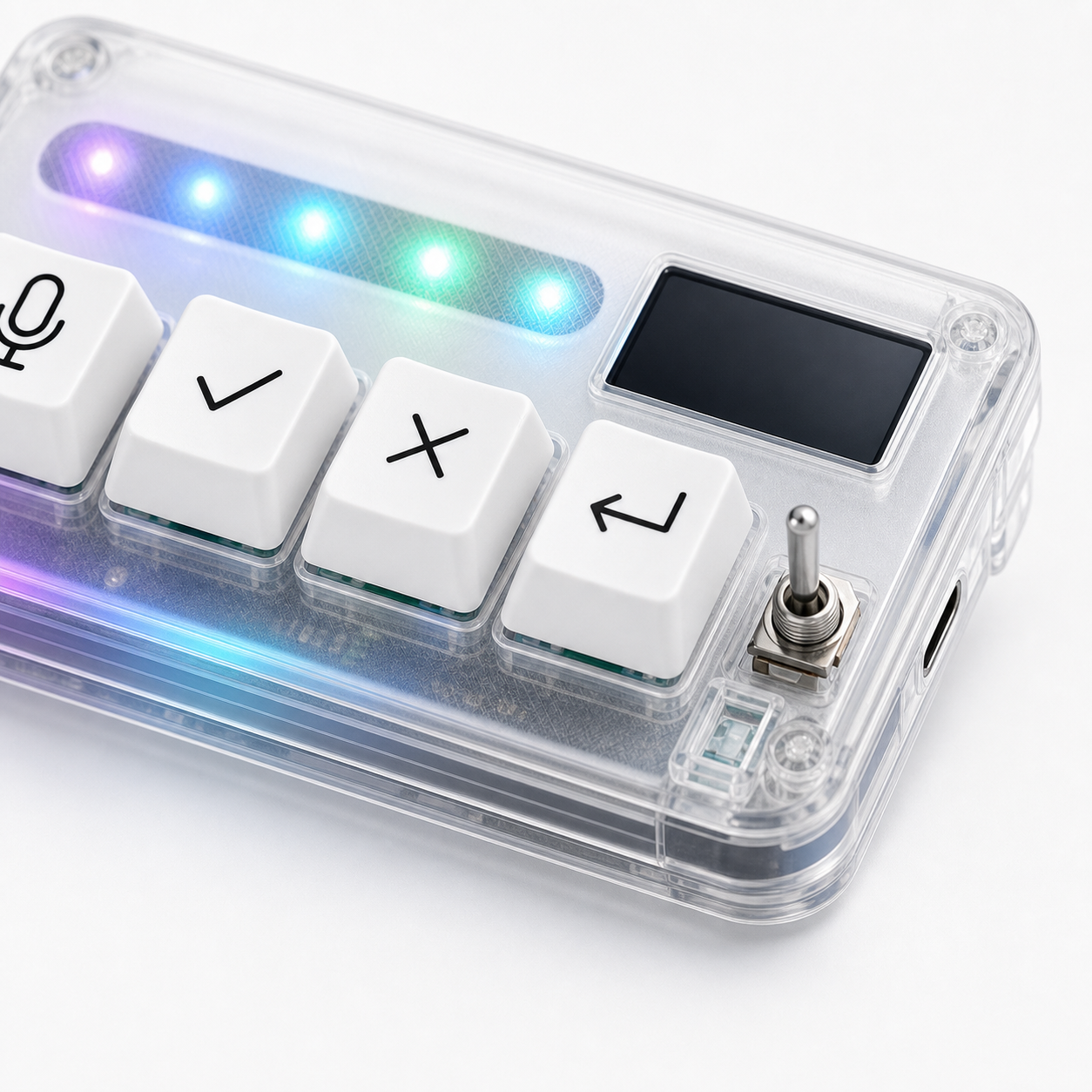
HarnessKeys supports both USB and Bluetooth, which fits the way AI workflow habits develop. You can begin wired, test microphone, approve, cancel, and return-style actions, then move to Bluetooth if cable-free placement helps.
The device also includes a custom status screen and RGB light bar, which can make connection state easier to understand during setup and daily use. That feedback is useful because connection uncertainty quickly damages trust in a workflow keypad.
If your desk is fixed, USB may be enough. If your laptop moves, Bluetooth may matter. If you want both options in a compact four-key AI keypad, review the HarnessKeys product page. Checkout details are covered under payment methods and shipping delivery.
