
Comparison and Buying Guides
Is a Vibe Coding Keyboard Useful for Non-Developers?
Jun
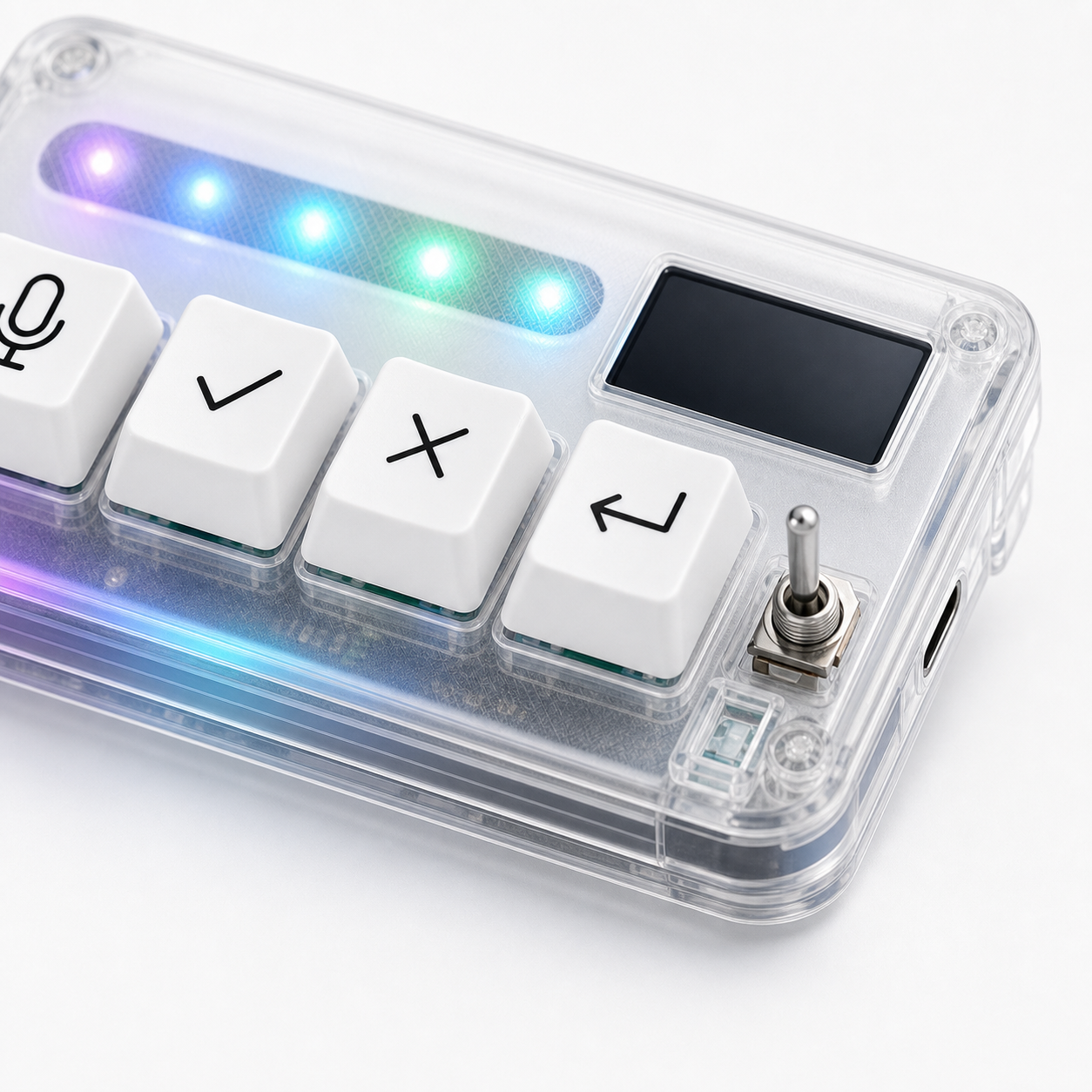
A vibe coding keyboard can be useful for non-developers if their work is prompt-heavy and decision-heavy. The name sounds developer-focused, but the underlying loop is broader: speak an instruction, review an AI response, approve useful output, cancel the wrong direction, and continue to the next turn.
That loop appears in operations, content work, research, customer support drafting, no-code workflows, and AI-assisted documentation. The device is not for every non-developer, but it can fit people who steer AI tools many times a day.
Prompt-heavy work is the main fit
Non-developers who write many AI prompts may benefit from a physical input layer. Voice can help capture longer instructions. A return-style key can submit the next turn. Approve and cancel can create a clear review rhythm.
Examples include an operator asking AI to summarize tickets, a marketer drafting variants, a founder reviewing customer research, or a maker using AI to plan no-code automations.
The work does not need to be software engineering. It does need to involve repeated AI steering.
Review workflows matter outside code too
AI output still needs review when the output is not code. A support reply can be wrong. A marketing draft can overpromise. A research summary can miss nuance. A no-code automation plan can skip a risky step.
Dedicated approve and cancel actions can reinforce the habit of judging output before moving forward. That is useful for anyone who works through AI suggestions repeatedly.
The key is not blind approval. It is making the decision easier to perform after review.
Approval loops are common in operations
Many operator workflows are approval loops. Draft a response, check it, approve it. Generate a checklist, reject a weak item, continue. Ask for a summary, cancel when the tool misunderstands the source. These are the same control motions found in AI coding, just applied to different work.
A small keypad can make those loops feel more consistent. The user does not need to learn developer shortcuts to benefit from physical controls.
That said, the user still needs a clear AI workflow. Hardware will not create one from nothing.
Documentation and writing can benefit from voice
Voice input is often useful for non-developers because much of their prompting is explanatory. It may be easier to say: “Rewrite this onboarding email for a technical buyer, keep it under 120 words, and make the call to action softer” than to type it repeatedly.
A microphone key makes that spoken prompt deliberate. It gives voice a start and stop, which is important in shared rooms or privacy-sensitive work.
Voice should still be used carefully. Do not dictate private customer information or confidential strategy into tools unless your workflow allows it.
Limits for non-developer buyers
Non-developers should not buy a vibe coding keyboard just because it looks like an AI gadget. If the work is occasional, normal keyboard shortcuts and mouse controls may be enough. If the AI tool is mostly used for one-off questions, a separate device may sit unused.
The device also may require some setup comfort. It is simpler than a broad macro pad, but it still needs to fit the software and desk.
The best buyer is someone who already knows the repeated actions they want to control.
Examples outside software teams
A customer support operator might use voice to draft a reply, approve a good answer, cancel an irrelevant one, and continue with a shorter version. A researcher might speak a synthesis prompt, review the result, and stop the tool when it overstates evidence.
A no-code builder might use AI to plan workflows, write formulas, or debug automation steps. The same physical controls can support that loop even when no traditional code is involved.
The common thread is not programming. It is repeated AI steering with review.
Use the same buyer test as developers
Non-developers should use the same test: how often does the AI workflow ask for voice input, approval, cancellation, or continuation? If those moments repeat daily, hardware may help. If they happen once in a while, the normal keyboard and mouse are probably enough.
The product category is new, so it is easy to overbuy. Let the repeated action prove the need before buying the device.
How HarnessKeys fits non-developer AI work
HarnessKeys is positioned for AI workflows, not only for writing code. Its microphone, approve, cancel, and return-style keys can support any prompt-heavy loop where the user speaks, reviews, accepts, stops, and continues. USB and Bluetooth support help with different desk setups, while the status screen and RGB light bar provide quick feedback.
For non-developers, the buying question is simple: do you steer AI tools enough for physical controls to matter? If yes, the device may fit. If no, wait.
Review the HarnessKeys product page with your actual workflow in mind. If it matches, the payment methods and shipping delivery pages cover the purchase details.
