
Comparison and Buying Guides
Vibe Coding Keyboard Price Guide: What Should a Small AI Keypad Cost?
Jun
A small AI keypad should cost enough to reflect real hardware, support, and reliability, but not so much that buyers feel they are paying for a novelty. HarnessKeys is currently priced at $119.00, so the useful question is not only “Is that cheap or expensive?” The better question is “What repeated workflow problem does this price solve?”
For a buyer comparing macro pads, visual decks, keyboard shortcuts, and AI-specific hardware, price needs context.
Hardware cost is more than the number of keys
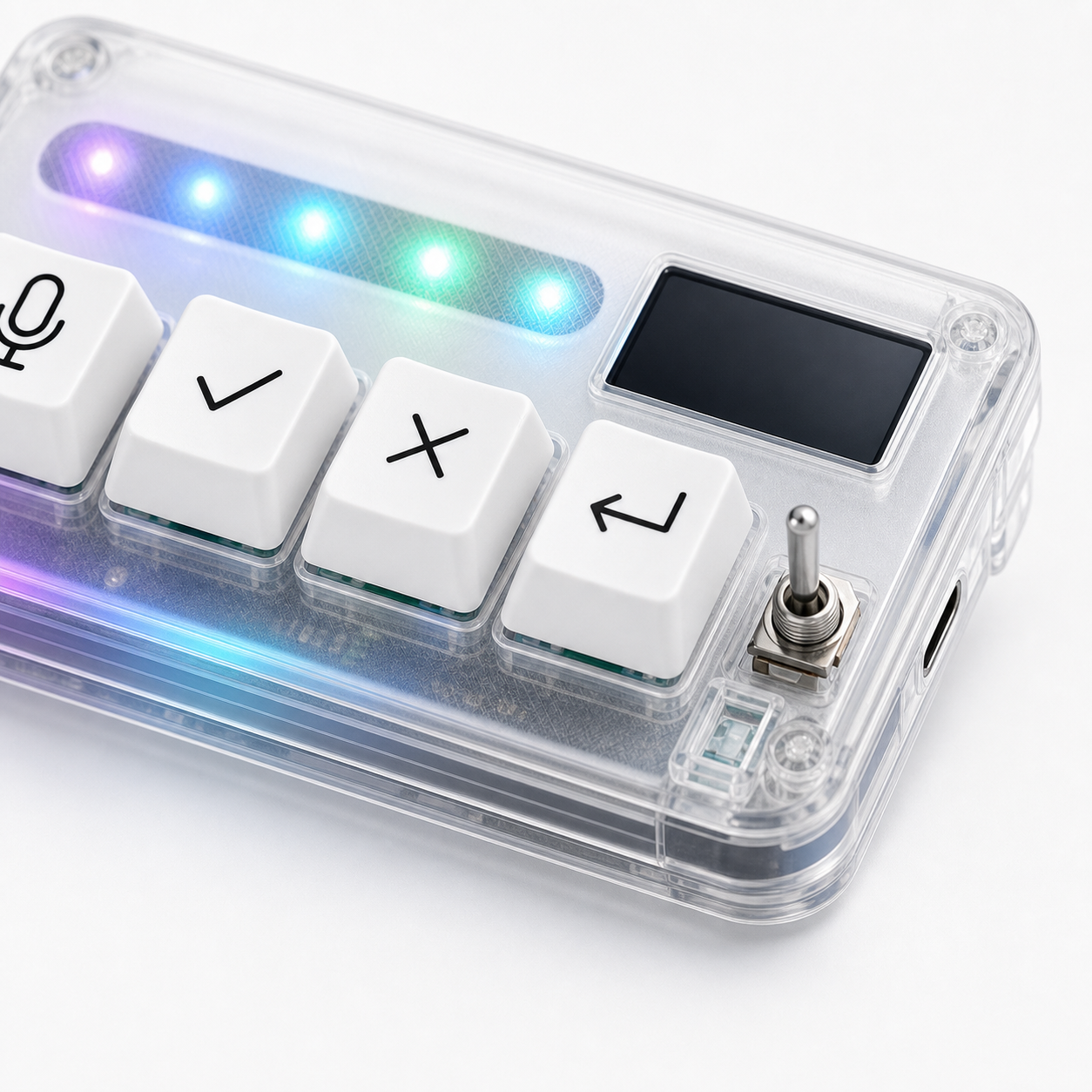
A four-key device is not automatically cheap just because it has four keys. The cost can include enclosure design, switches or key hardware, electronics, firmware, USB and Bluetooth support, a status screen, lighting, packaging, support, and fulfillment.
Buyers should still be skeptical. A small device has to justify itself through daily use. But judging only by key count misses the point. The device is being purchased as a workflow tool, not as a pile of buttons.
The value depends on whether those controls solve a repeated problem.
Generic macro pads may cost less or more
Generic macro pads cover a wide price range. Some are inexpensive and require more setup. Others are premium, heavily programmable, and built for enthusiasts. They may offer more keys than HarnessKeys, but they may also require the buyer to design the AI workflow from scratch.
If you enjoy configuration, a generic macro pad can be a better value. If you want a focused AI control layer, the comparison changes. You are paying for a narrower product that starts from microphone, approve, cancel, and return-style actions.
More generic flexibility can be valuable. It can also become unused complexity.
Specialized hardware should save attention
A specialized AI keypad earns its price when it saves attention during daily work. The benefit may be reduced mouse travel, clearer approval, faster cancellation, deliberate voice capture, or fewer accidental prompt submissions.
Those benefits are small individually. They matter because they repeat. A solo developer or AI-heavy operator may feel the value after many sessions, not after one dramatic moment.
If you cannot name the repeated friction, the price will feel harder to justify.
Shipping and support affect real cost
The displayed price is only part of the purchase. Buyers should also check payment options, shipping expectations, delivery timing, and support contact paths. A lower price can feel worse if shipping is unclear or support is hard to reach.
For a hardware product, order confidence matters. You want to know how checkout works, where shipping information appears, and what to do if something goes wrong.
Before buying HarnessKeys, read the payment methods and shipping delivery pages, not only the product page.
Longevity is part of the value calculation
A good workflow device should last beyond one AI tool trend. Software interfaces change. Models change. Tool names change. The repeated human actions may remain: speak, approve, cancel, continue.
If the hardware is too tied to one app, its value may fade when your workflow changes. If it supports a broader control loop, the device can remain useful across Cursor, Claude, Codex, ChatGPT, or future tools.
This is where a tool-agnostic layout can make a small device feel more durable.
Who should not pay $119 yet
Do not pay $119.00 if you are still experimenting with AI tools once in a while. Do not pay it if you cannot name the repeated actions you want to control. Do not pay it if a normal shortcut or better prompt habit already solves the friction.
The price makes sense only when the device becomes part of real work. A product can be well designed and still be the wrong purchase for someone whose workflow is not ready for it.
This buyer filter is important because specialized hardware should feel useful after the first week, not only exciting on delivery day.
Compare price against daily friction
Price makes more sense when compared against the actual irritation it removes. If you lose focus dozens of times per day because approve, cancel, voice, and continue actions are scattered across the interface, a physical layer has a clearer value case.
If your AI sessions are already smooth, the same $119.00 may be better spent elsewhere. The price does not decide the value alone; frequency of friction does.
A simple value calculation
Use a practical calculation. How often do you use AI tools for serious work? How often do you repeat the four control actions? How much does prompt fatigue, mouse travel, or accidental continuation bother you? Would a physical control layer still be useful after the first week?
If those answers are weak, save the money. If they are strong, $119.00 can be reasonable for a device that becomes part of daily work. The value is not in owning an AI gadget. It is in making a repeated workflow easier to control.
HarnessKeys is priced as a specialized compact AI workflow keypad with USB and Bluetooth, a custom status screen, an RGB light bar, and four focused physical keys. Compare the details on the HarnessKeys product page, then review payment and shipping before deciding.
