
Workflow Design
Prompt Fatigue: Why AI Coding Still Feels Tiring and What Helps
Jun
Prompt fatigue is the tired feeling that shows up after too many AI coding turns. The model may be helping, but the developer is still writing instructions, correcting misunderstandings, approving small changes, stopping bad directions, and keeping the whole conversation organized. After a while, the tool feels less like acceleration and more like another inbox.
This fatigue is real. It does not mean AI coding is useless. It means the input and control layer needs attention. If every turn asks you to type a careful prompt, manage context, and hunt for interface controls, the day becomes mentally noisy.
What prompt fatigue feels like
Prompt fatigue often starts as impatience. You know what you want, but you do not want to type the full explanation again. So you write a shorter prompt. The AI answers the shorter prompt, misses the hidden context, and now you have to correct it. The correction becomes another prompt.
It can also feel like decision overload. Accept this suggestion? Reject that patch? Ask for a narrower answer? Paste the error? Tell the agent to continue? The small decisions keep arriving even when the coding task itself is simple.
By the end of the session, the developer may not be tired from writing code. They are tired from steering.
There is also a subtle emotional side. Prompting can make a skilled developer feel oddly repetitive: explain the obvious, correct the same boundary, restate the same goal. That does not mean the developer is doing it wrong. It means the workflow needs better defaults.
Repetition is the main source
Prompt fatigue is not usually caused by one hard prompt. It is caused by repeated micro-prompts. “Try again.” “Keep it smaller.” “Do not change that file.” “Explain first.” “Now add a test.” “Stop.” Each sentence is manageable. The accumulation is the problem.
The repetition gets worse when the interface adds friction. If approving, cancelling, or submitting requires mouse travel every time, the developer is not only thinking. They are operating a control panel.
The fix starts by identifying which repeated actions can be made easier without lowering review quality.
Voice can relieve the typing load
Voice input helps when the prompt is mostly explanation. Saying “The last patch changed too many files; keep the next fix inside the settings loader and add one regression test” is often easier than typing it. Voice preserves the full thought before it gets shortened by impatience.
Voice is not a cure for every prompt. Exact names, code snippets, commands, and private information still need care. But for intent, constraints, and corrections, voice can reduce the feeling of constantly writing instructions.
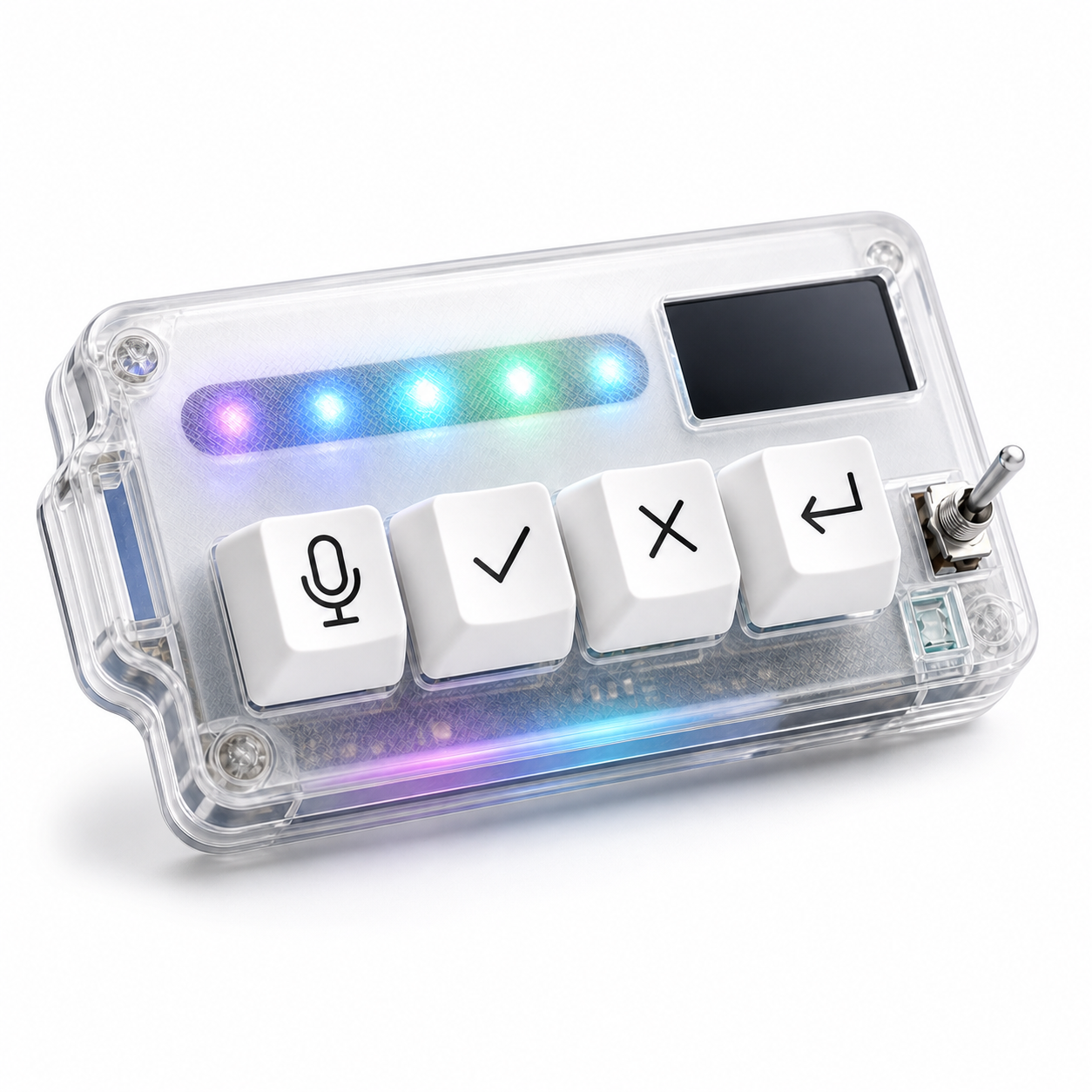
A microphone key makes voice more practical because it gives dictation a clear start. The user presses the key when they mean to speak to the AI tool, then reviews or sends the captured text.
Physical controls reduce control fatigue
Typing is only half the problem. AI coding also creates control fatigue: approve, cancel, continue, submit, stop, retry. When those actions live in different corners of the interface, the user keeps switching attention from the code to the tool controls.
A small keypad can reduce that friction by making repeated decisions tactile. Approve after review. Cancel when the path drifts. Return when the next prompt is ready. The action is still deliberate, but the interface search disappears.
This is most useful when the keys represent a stable workflow. Random macros will not help fatigue. Clear, repeated controls can.
Breakpoints prevent endless prompting
One of the best ways to fight prompt fatigue is to add breakpoints. After three or four turns, stop and ask what changed. Is the task closer to done? Is the diff getting cleaner or messier? Are you correcting the same misunderstanding repeatedly?
If the session is drifting, take a manual review break. Read the code without prompting. Run a test. Rewrite the task boundary. Sometimes the best next prompt is no prompt for five minutes.
Prompt fatigue grows when the conversation has no end condition. Give the session checkpoints.
A simple breakpoint is “three turns, then inspect.” After three AI responses, look at the diff or notes before prompting again. This keeps the conversation from becoming a stream of corrections with no real progress check.
How HarnessKeys can help without pretending to solve everything
HarnessKeys helps with two parts of prompt fatigue: spoken input and repeated controls. The microphone key can reduce typed explanation. The approve, cancel, and return-style keys can reduce the friction of steering the session. USB and Bluetooth support make placement flexible, while the status screen and RGB light bar provide quick feedback.
It will not fix unclear requirements, weak review habits, or a tool that does not understand the codebase. It is not a cure for burnout. It is a physical layer for a specific kind of repeated AI workflow friction.
If AI coding still feels tiring, look at the loop. Are you typing the same style of prompt all day? Are you managing tiny interface decisions constantly? Are you letting sessions run without checkpoints? Fix those first. If the friction is in voice capture and control actions, the HarnessKeys AI Workflow Keypad can make the loop feel lighter.
